Latest Nemo X downloads
The most recent version of Public Internet Nemo X package is: Nemo X 2.9.0.0. This version supports the NemoXCompanion ESAPI plugin.
Nemo X 2.7.1.1 has been retained for backward compatibility.
If you are interested in Nemo X ask the author for the app.
IMPORTANT. Nemo X and RT Device Manager were developed by Stefano Agostinelli. See LICENSE in the software distribution to know about permitted usage and restrictions.
IMPORTANT. Nemo X is intended for personal use only. The author is not responsible of any calculation provided by Nemo X. The user should confirm every Nemo X calculation by direct measuring.
Nemo X Essentials
Nemo X is a freeware Windows application for external beam (Linac based) Monitor Units (MU) calculation. Nemo X is designed to operate as a stand-alone MU calculator, but the availability of the NemoXCompanion script for Varian Eclipse makes Nemo X the perfect Varian Eclipse’s buddy for MU verification of 3D plans.
Supported Linac beams in Nemo X are:
- Cobalt beams
- Photon beams: open fields, wedged beams, blocked beams, static MLC beams, dynamic step&shoot IMRT beams (experimental)
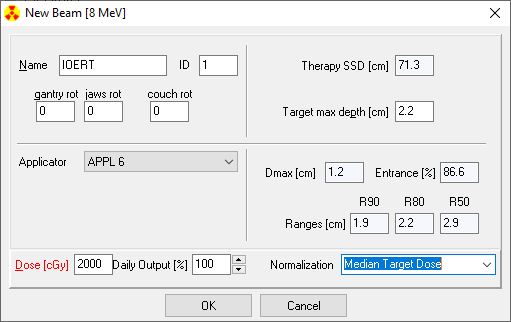
- Electron beams including IOERT beams
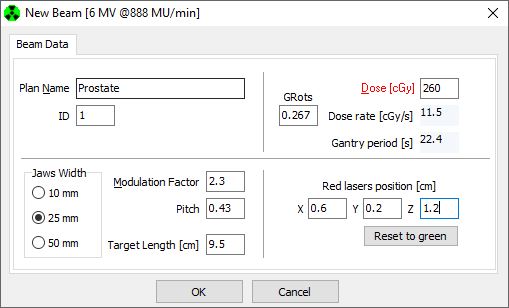
- Tomotherapy beams (sanity check)
For Cobalt and Photon beams, MU calculation follows essentially Khan’s MU formalism with head-phantom scatter separation and full Clarkson integration for MLC blocked beams. Beams can be isocentric or non isocentric (Fixed SSD).
Wedged beams support
- Physical wedges
- Motorized (Elekta) wedges
- Virtual wedges (Siemens) since v.2.5.1.2
- EDW – Enhanced Dynamic Wedges (Varian) since v.2.8.1.0
Dose calculation is performed on a single Dose Point (DP) which can be on CAX or in a offset position. The essential information about the Dose Point is the dose at the point and the depth/SSD of the DP.
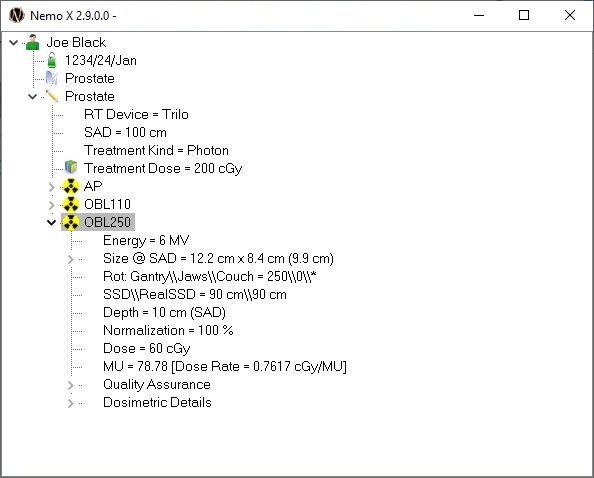
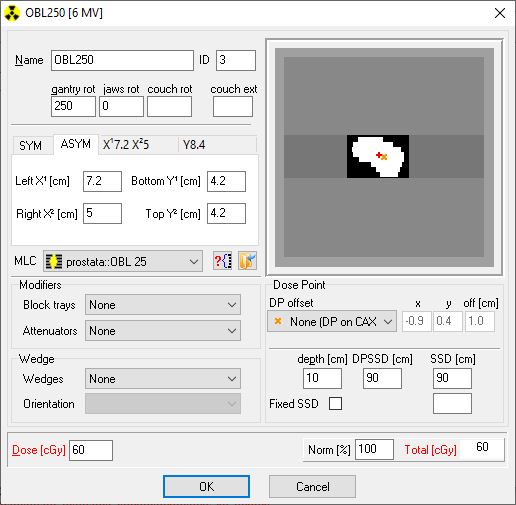
MLC support for Photon beams include several Varian models (52 leaves, Millennium 80 and 120 leaves) with Varian .mlc file import and a Siemens Primus 58 MLC model with LANTIS RTP file import. Experimental dynamic step&shoot IMRT calculation is available for Varian machines.
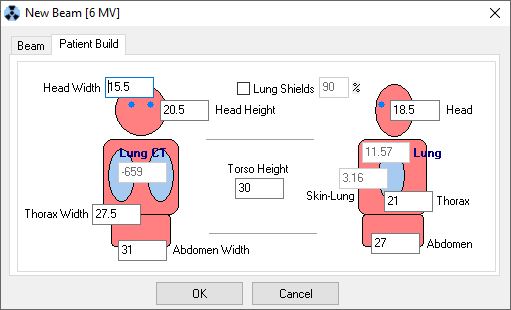
A special TBI large-field extended-distance Photon beam calculation is also available including lung Pb-shielding compensation.
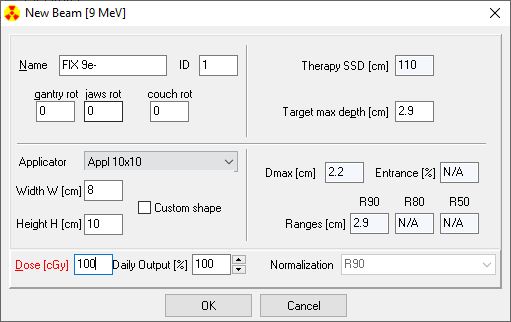
Electron beams calculation can be applicator-based or PDD-based.
Tomotherapy beam calculation is just a sanity check and requires the knowledge of the GRots factor displayed in Tomotherapy’s Planning Station software.
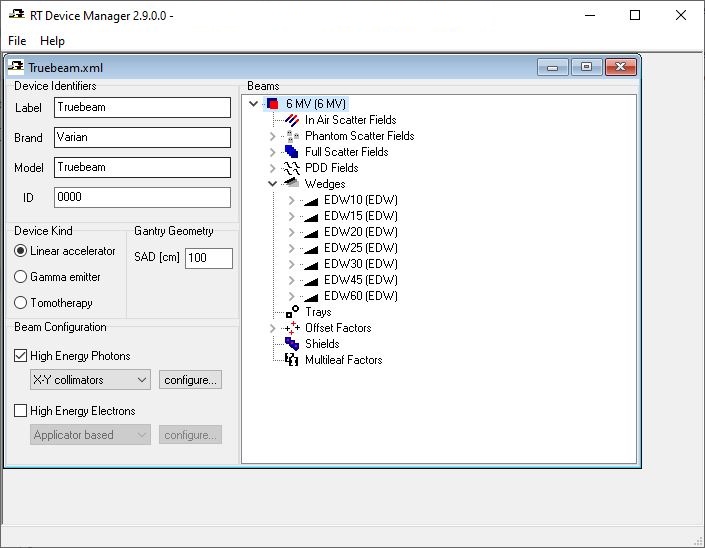
Beam configuration for Nemo X is quite easy and made by the helper application RT Device Manager. For Photon Beams basically the input data is very similar to the one required for Varian Eclipse beam configuration (.CSV file for open field factors and .CDP files for PDD data), the only addition being phantom scatter data and offset factors which have to be entered manually.
System requirements
Nemo X and RT Device Manager apps require Windows XP or later (including Vista, Seven, 10 and 11).
IMPORTANT. Nemo X and RT Device Manager require a network adapter for app registration.
Installation (v.2.7.1.1)
Uncompress the package zip file. The following files are included in the package:
- Nemo X.exe
- RT Device Manager.exe
- MyDetailsFormBanner.txt
- MyTreatFormBanner.txt
- Linacs XML\nxschema.xsd
- Linacs XML\demo.xml
Installation (v.2.9.0.0) adds:
- MyEclipseMatchingRules.txt
This file is used by NemoXCompanion ESAPI plugin to match Eclipse machines/beam energies with Nemo X machines/energies.
Nemo X.exe is the Nemo X app. The two .txt text files contain the banners (headers) which are printed on the Dosimetric Details and Treatment forms. The user should edit these files to add the information about his/her hospital and service. Please note that only the first two lines of each .txt file are printed in the forms.
RT Device Manager.exe is Nemo X’s helper application which is used to enter/edit dosimetric data of user’s Linear accelerators (Linacs).
The data of each Linac is stored in Nemo X’s XML format in Linacs XML directory. The file nxchema.xsd is the XML Schema for the XML format used by Nemo X’s XML Linacs.
The file demo.xml is a demo XML Linac containing data for a 6 MV photon beam with a single motorized wedge. Please note that demo.xml Linac is intended only for demonstration!
App registration
IMPORTANT. On some systems Nemo X app registration requires Windows administrator privileges.
Uncompress the package and launch Nemo X application.
The Authentication ask box (see image below) will open (this happens only the first time you run Nemo X).
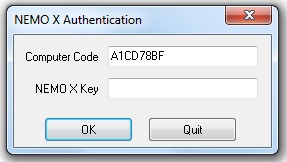
The Computer Code is specific of your PC and is used for app registration.
Write down your Computer Code and send it by e-mail to the author asking for the registration of Nemo X on your PC. Within a few days you will receive an e-mail containing the Nemo X key generated for you. Run the Nemo X application, type in the key in the Authentication ask box and click on the OK button: this will register Nemo X on your PC (on some systems this could require Windows administrator privileges).
Other information
You can ask the author for any information about Nemo X installation and usage.
Latest Posts in Nemo X